
Compare
Copy-pasting between your terminal and an LLM
A lot of people use AI for ops this way: paste in a log or screenshot, copy the suggested command into a terminal, then paste the result back. This works, and the model never touches your servers.
The copy-paste loop
-
1
Find
Find the log, graph, or terminal output that might explain the problem.
-
2
Copy
Copy the useful lines or take a screenshot.
-
3
Ask
Paste it into the LLM and ask what to do.
-
4
Run
Read the suggested command, then run it yourself.
-
5
Repeat
Paste the result back and keep going.
You are the only check.
That helps when you understand the command.
Why the loop feels safe
Nothing runs unless you run it
You can leave out sensitive data, ignore a bad answer, and stop before anything changes.
The model only sees what you send
If the useful line is just above the screenshot, or the hostname is cropped out, the model does not know. It can still sound confident.
Your terminal has no context
It will run the command you paste. It does not know which host you meant, what changed after the model answered, or why you decided to run it.
Review can turn into a reflex
A familiar one-line command is easy to check. A generated Bash pipeline or Python script may not be. After enough routine trips, it is easy to skim, paste, and press Enter without understanding what will run. That is the worst of both worlds: free-form code reaches the shell, but the human check is no longer much of a check.
There is no single record
The reason is in chat, the command is in shell history, the host is in your terminal, and the result may be in another paste. You can piece it together, but nobody gets one clean record.
The same task
The same restart, without the copy-paste loop
The model wants to restart api on edge-sfo-03.
LLM
Try: sudo systemctl restart api
You
Paste it into the terminal and run it.
You again
Paste the output back into the chat.
The command and result cross the clipboard. The reason stays in the chat.
LLM
Restart api on edge-sfo-03.
You
Approve this run once. Policy asked because a restart changes the host.
emisar
Succeeded. The result goes back to the LLM.
No shell command or result crosses the clipboard.
Side by side
Where the paths differ
What the model can do
Copy-paste
Nothing on its own. You run every command.
emisar
It can request only the actions and runners you exposed to it. There is no SSH or general shell.
What it knows
Copy-paste
Only the text and images you paste, from that moment.
emisar
Fresh output from actions you allowed. It cannot look anywhere else.
How commands are checked
Copy-paste
You are the check. That gets harder with an unfamiliar command or generated script, and easier to skip when the loop becomes routine.
emisar
The runner checks the arguments and builds the command from an action definition you installed.
Approval
Copy-paste
Pressing Enter is approval. The chat does not record exactly what you approved on which host.
emisar
The approval page shows the action, arguments, runner, requester, and reason. Your approval applies to that run only.
Secrets
Copy-paste
You must notice secrets before copying text or screenshots into the chat.
emisar
The runner applies the action's redaction rules before output leaves the host.
What is saved
Copy-paste
Chat history, shell history, dashboards, and tickets.
emisar
One run record in the cloud audit, plus a hash-chained journal on the runner.
After the run
Each run keeps its own record
Once the run finishes, emisar keeps the request, approval, target, and result together. You can search that record or send it to your SIEM. The runner keeps a local, hash-chained journal too.
Read the audit reference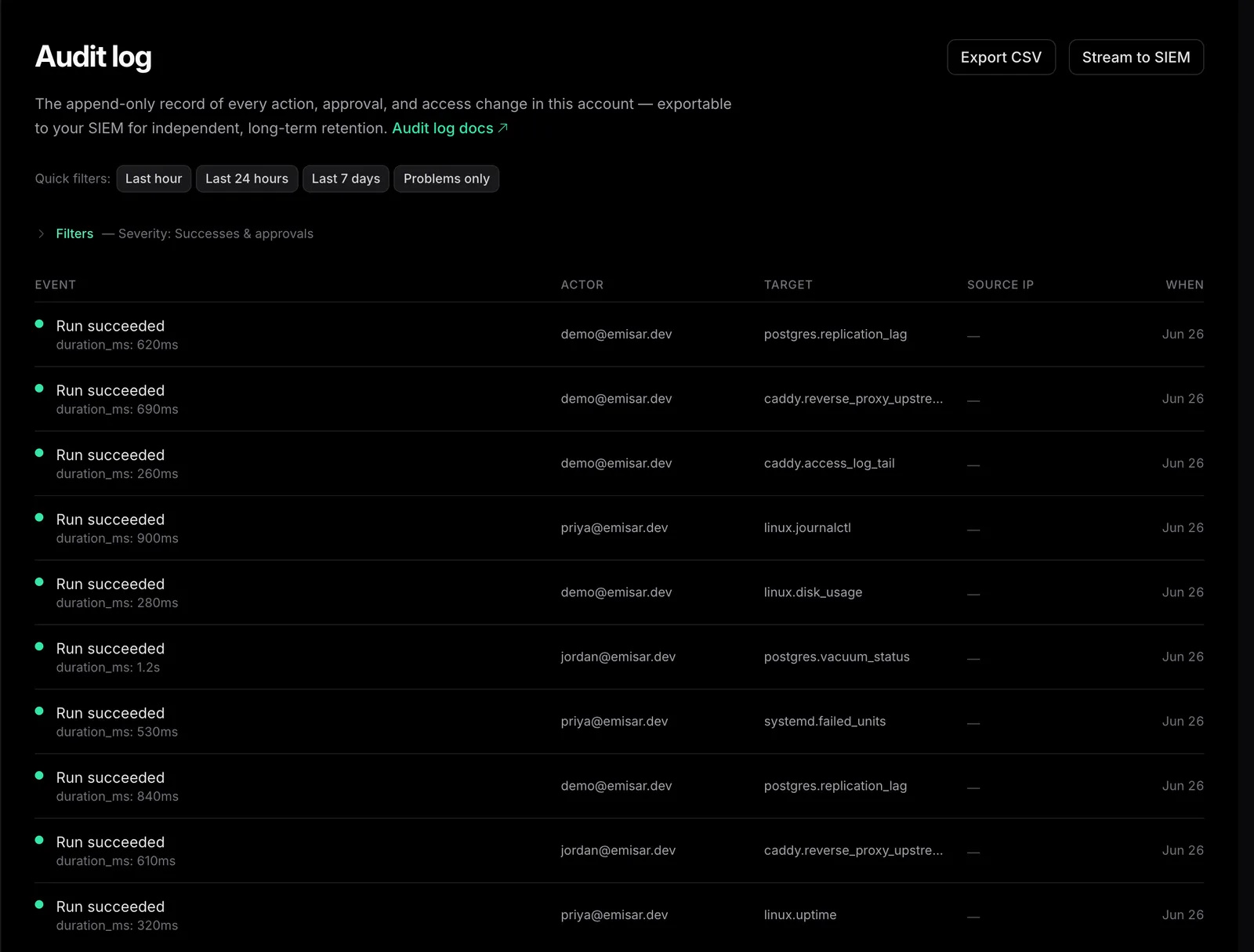
For one-off work
Copy-paste fits one-off work
For a low-risk change in dev, with one operator and no audit requirement, the manual loop may be enough. Check what you upload and what you run.
When it repeats
When the command comes back, make it an action
Install a runner on the hosts you want to reach and define the action once. From then on, every connected model and operator uses the same reviewed command instead of inventing a new one.
Routine checks keep moving
Read-only actions can return current results without stopping for approval.
Risky changes wait for you
Policy can require approval of the exact run before it changes a host.
Give the model actions, not a shell.
Start with the checks you run most often. The model can request them; you still approve risky changes.
Three runners. Seven-day audit. No credit card.