
Docs navigation
Get started
AI agents
Connect
Operate
Day to day
When it breaks
Govern access
Team & account
Access
Identity concepts
Provider guides
Account
Teams & access
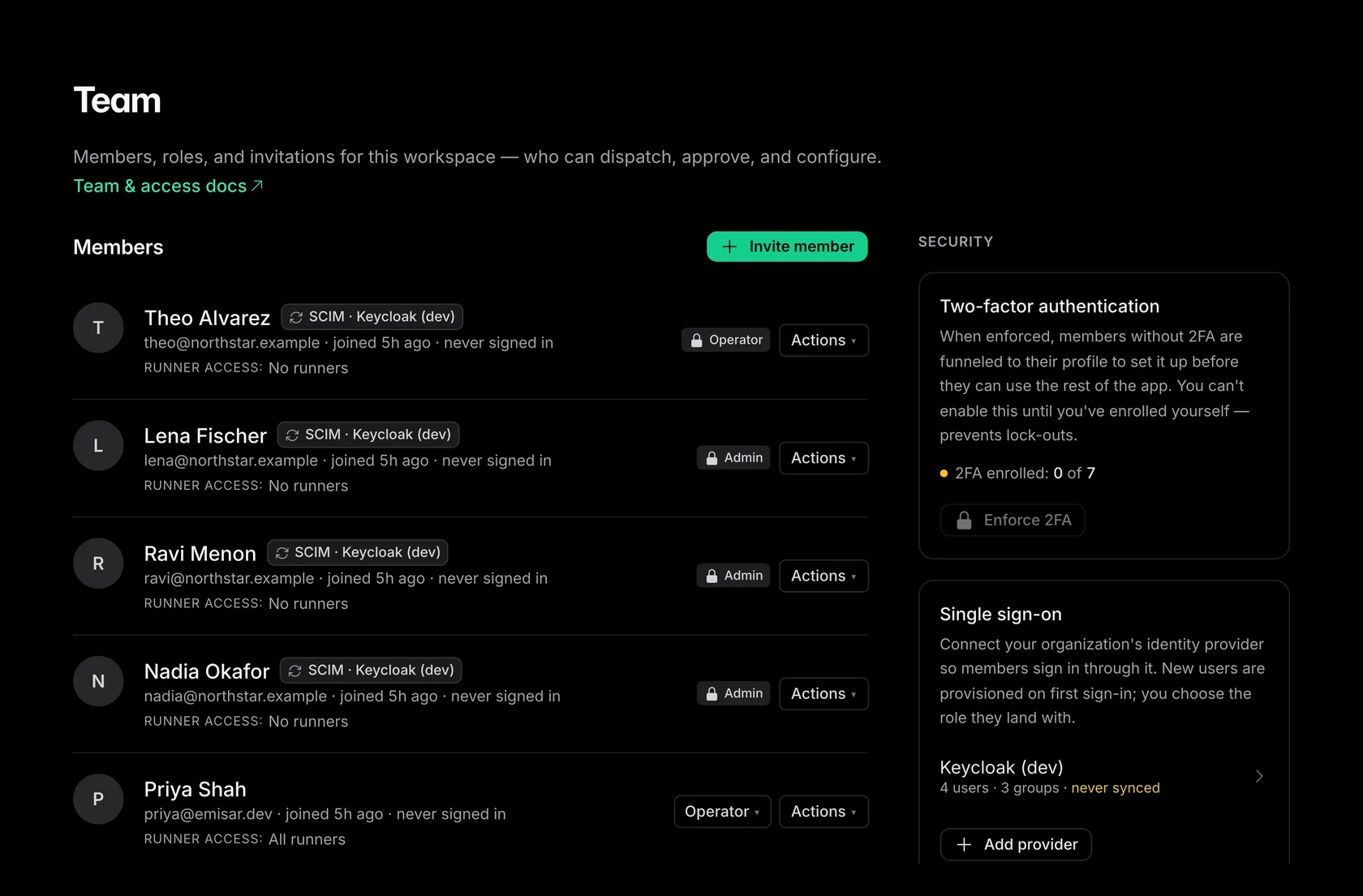
Roles control what members can do. Runner and pack access limits where they can act. An API key inherits its owner's action access.
Roles#
| Role | Can do |
|---|---|
| Owner | Everything an admin can do, plus managing other owners and access to every runner and pack. Owner access cannot be narrowed. The last owner cannot be removed or demoted, so an account always has an owner. |
| Admin | The team, policies, runbooks (deleting them included), runners, pack trust, API keys, runner scopes, and billing (plan, card, invoices) — plus everything the roles below can do. |
| Billing manager | The subscription, payment method, and invoices, plus reading the member list and billing audit events — and nothing else: no runners, policies, runbooks, approvals, or actions. This lets procurement own billing without touching infrastructure. |
| Operator | Dispatch actions, decide approvals, and mint their own agent keys. Within their runner and pack access they create, edit, publish, and discard runbooks — deleting one takes an admin. They can view runners, runs, policies, and audit records, and they cannot manage the team, policies, or trust. |
| Viewer | Read runners, runs, approvals, runbooks, policies, and audit records — they cannot dispatch or decide anything. |
Inviting your team#
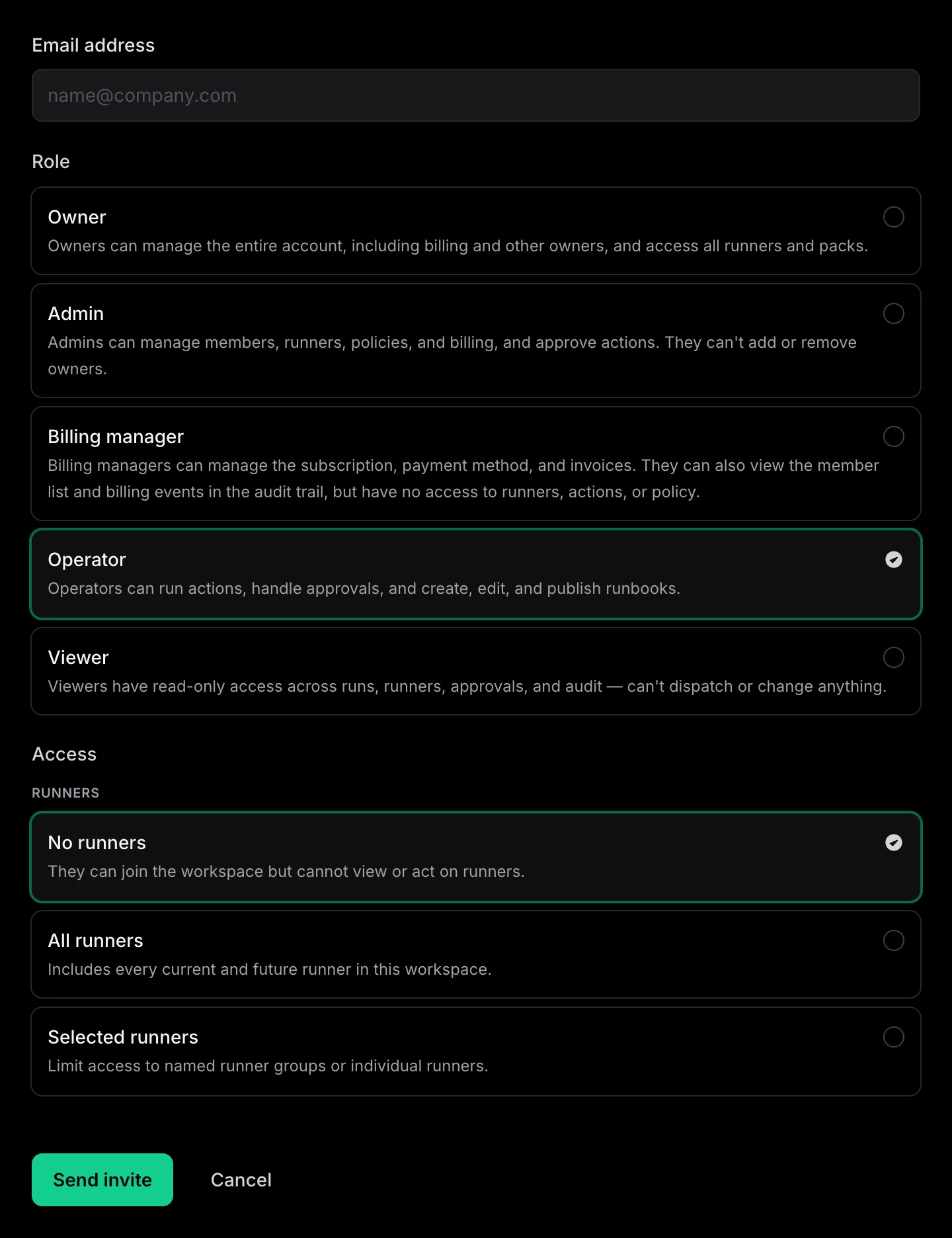
Open Team → Invite, enter an email, choose a role, runner access, and pack access, and send the invitation. Accepting it activates the pending membership and its grants; the account's sign-in requirements still apply. Only an owner can grant the owner role or manage another owner. Admins can invite and manage members up to admin.
Per-member scope: runners and packs#
Runner and pack grants limit action permissions for admins, operators, and viewers. Set access from Actions → Edit access on Team, or map SSO/SCIM directory groups. Owners always have account-wide access; billing managers have no runner or pack access.
-
—
A group scope
follows a runner group, such as
group: cassandra-prod. New runners in that group enter scope automatically. - — A runner scope grants action access to one specific host. Use it for a contractor who needs exactly one machine.
Each grant also carries a pack scope — all packs by default, or an explicit list.
This is what lets a DBA run
postgres.*
on database hosts without gaining
shell
access; a runner group alone cannot express that, because restricted packs exist on
most hosts. The two dimensions combine: a member can act only on runners in their runner
scope, using packs in their pack scope.
Members with access to operational pages can see the workspace's runners, packs,
runs, output, approvals, and runbooks. Runner and pack scope limits actions, not what
they can view.
An API key inherits its owner's scope, so narrowing a member to
cassandra-*
narrows their agent with it, with no per-key settings to update. Every scope change is
audited.
An admin scoped to one group cannot act on the rest of the fleet. Owners are exempt from runner and pack scoping, but not from policy, required approvals, pack trust, suspension, or the account boundary. Nobody can edit their own access.
Promoting a member to Owner grants all runners and packs. Their connected agents inherit the wider access without reconnecting. Demoting an Owner requires choosing their new access. For a directory-managed Owner, choose Use directory role: directory sync sets both role and access, with Viewer privileges and no runner or pack access until it completes.
MFA#
Require MFA requires the current browser to prove the member's active factor before it can use the account. Members can use an authenticator app or a sign-in through an SSO connection configured to satisfy MFA. The Team page's Authenticator count shows local enrollment, not whether every member satisfies the account's MFA requirement. Factor setup and the SSO exemption are in Enforce account sign-in.
Sessions & credentials#
Suspend access blocks access to this account, ends the member's sessions, and revokes their agent credentials and standing approvals. Restore access restores membership access, but does not restore those credentials or approvals. A manual suspension stays in place across directory sync; a directory-deactivated member must first be reactivated in the identity provider. Sign-in mechanics and session self-service are in Authentication. Key lifecycle and revocation are in Manage agents & keys.