
Docs navigation
Get started
AI agents
Connect
Operate
Day to day
When it breaks
Govern access
Team & account
Access
Identity concepts
Provider guides
Account
Run an action
Dispatch one declared action from the console. Review the action contract, enter its arguments and reason, pass policy, and read the recorded result.
Before you dispatch#
- Your role is Operator, Admin, or Owner.
- The target runner is online and enabled.
- The runner advertises the action and its required program.
- The exact pack version and hash are trusted.
The console does not sign dispatches. If the runner requires signatures, run the action from a configured MCP bridge. See Signed dispatch.
1. Select a runner and action#
- Open Runners.
- Select the runner that owns the target service or host.
- Find the action in its action catalog.
- Review the risk, title, and pack.
- Select Run.
A disabled Run button shows what is blocking it. Common causes include an offline runner, an untrusted pack, a missing program, or signed-only dispatch.
2. Enter arguments and reason#
Read the action summary and every listed side effect, then fill each required argument — the form enforces the pack's types, choices, sizes, and path limits.
Enter a short, specific reason — Audit records it. Describe the goal, not a generic label such as maintenance.
Confirm database health after the primary failover.
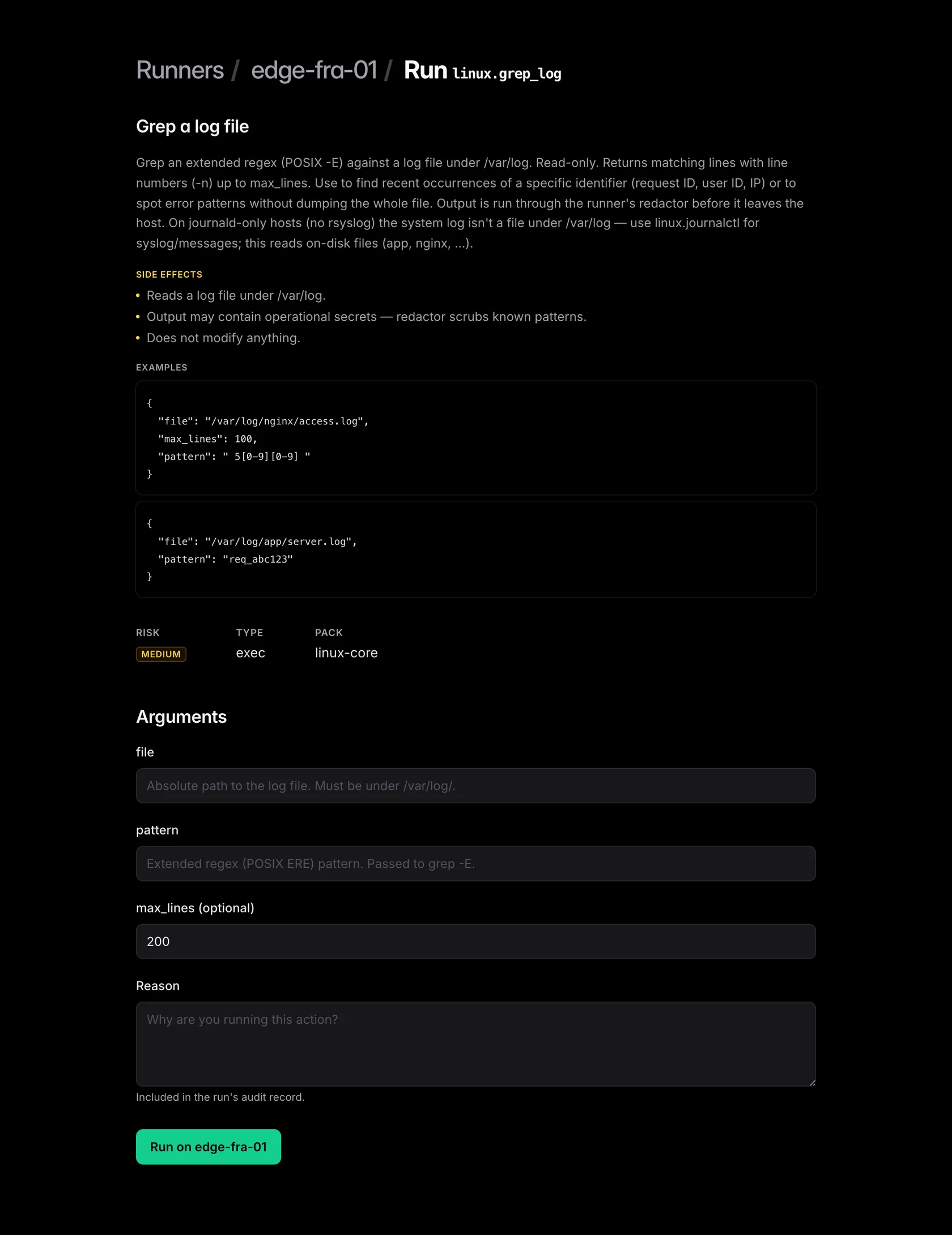
3. Dispatch and approve#
Select Run on <runner>. High-risk and critical actions show a final confirmation with the target and arguments.
Policy now returns Allow, Require approval, or Deny. A denied run stops immediately, and a run that needs approval waits on Approvals — the runner receives the action only after someone approves.
The approver sees the action, runner, arguments, reason, evidence, and expected result. If the pack, target, or a policy fact changed since the request, the approval is refused.
4. Read the result#
After dispatch, emisar opens the run page. It shows status, output, arguments, executed command, policy facts, actor, timestamps, and exit code.
- Wait for a terminal status.
- Read both standard output and standard error.
- Check the exit code and any structured result.
- Make sure the result matches the reason for the run.
- Open Audit when you need the full event trail.
See Runs and history for status meanings, output limits, cancellation, and grouped operations.
Before you retry#
Check the target system before you retry an unknown result. The action can finish after a runner or network failure hides its final response. emisar never repeats it automatically.
Fix denied, refused, or failed runs at the reported gate, then create a new run with
a new reason. Do not retry with the local emisar action run
command — it bypasses the control plane's policy and approvals.
A dispatch that is refused, or never reaches the runner at all — Troubleshooting walks the checks in order.