
Docs navigation
Get started
AI agents
Connect
Operate
Day to day
Troubleshooting & recovery
Govern access
Team & account
Access
Identity concepts
Provider guides
Account
On this page
Roll out and roll back packs
A pack update changes what your runners can execute, so it lands in two steps: install the new version on the runner, then trust it for dispatch. You test the update on one canary runner, roll through the fleet, and the way back is one install command.
- Admin or owner, to review and trust a pack version for the account.
-
Root or sudo on each runner host. Packs live under
/etc/emisar/packsand root owns the tree. - One non-critical runner to update first.
1. See where you are#
Start on the host, where the packs are. List the installed packs and see what an update would change. Save the id, version, and hash of the pack you are updating: that line is your way back. Note which runners or groups carry it.
# id, version, action count, and content hash per installed pack
$ sudo emisar pack list

ID             VERSION  ACTIONS  HASH                 DESCRIPTION
billing-tools  0.1.0    3        sha256:77b0d3f6c1a9  In-house billing runbooks
linux-core     0.4.1    34       sha256:9c2e51a0b4d7  Read-only Linux diagnostics plus …
redis          0.2.3    59       sha256:1f0c4a7b9d2e  Deep Redis ops — INFO + memory …

# what an update would change — no changes made
$ sudo emisar pack update --dry-run

  redis                  v0.2.3 → v0.2.4 (update available)
  linux-core             up to date (v0.4.1)
  billing-tools          not in registry — left as-is

1 to update, 1 up to date, 1 not in registry, 0 failed.
Review a change before applying: emisar pack diff <id>
Run without --dry-run to apply.
--dry-run
reports the plan and does not change anything. A pack the registry does not carry,
like one you authored, is reported and left as-is.
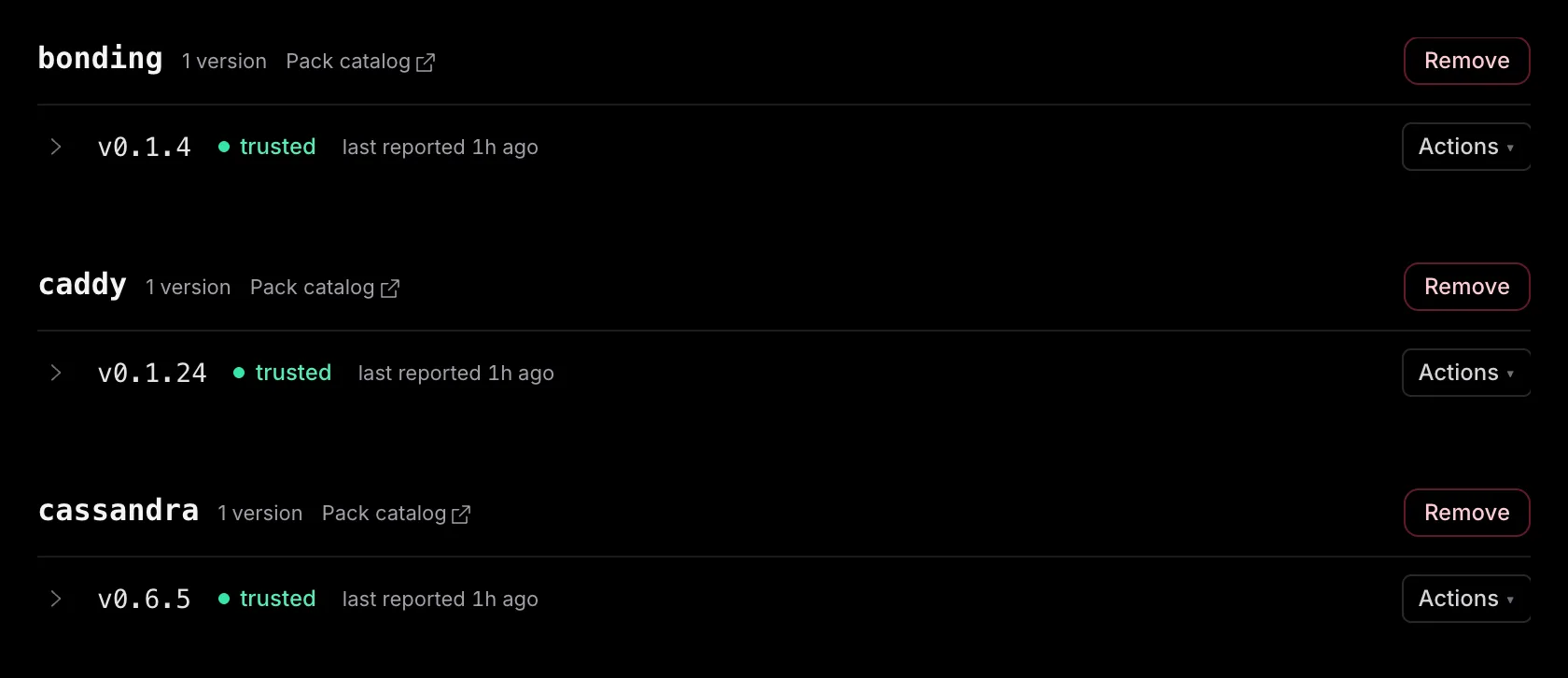
The console's Packs page shows the account view: each version, its trusted hash, and the hash each runner advertises.
2. Read what changed#
Before you update, read what changed in the action contracts. LLM clients and runbooks depend on them. The runner shows the exact changes and does not touch anything:
# the changed lines between the installed pack and the registry's version
$ sudo emisar pack diff redis

redis  0.2.3 → 0.2.4   sha256:1f0c4a7b9d2e → sha256:8a41c6d0e5f2
1 files changed · 1 insertions(+), 1 deletions(-)

  ! risk escalated  redis.config_set  medium → high

--- a/actions/config_set.yaml
+++ b/actions/config_set.yaml
@@ -2,4 +2,4 @@
 id: redis.config_set
 title: CONFIG SET
 kind: exec
-risk: medium
+risk: high

# against a specific published version, or the summary alone
$ sudo emisar pack diff redis --to 0.2.4
$ sudo emisar pack diff redis --stat
The diff covers the files behind the pack's content hash: pack.yaml, the action
declarations, and the scripts. The command fetches and verifies the new version
the same way an update does, and it does not write to the packs directory or reload the
runner.
Read the diff for the contract changes: a removed or renamed action, and any change to an argument's name, type, default, or validation. Both change what callers can send.
The
!
callouts above the diff show changes that give the host more power:
- — A higher risk tier
- — A removed redaction rule
- — A different execution user
- — A wider path allowlist
- — A new required setup variable
The Pack reference explains the full action schema and each field. The pack's page on the registry lists its declared actions and versions.
3. Update one runner#
Name the packs you want to update, and start with one non-critical runner.
# move one pack to the registry's current version
$ sudo emisar pack update redis

  redis                  v0.2.3 → v0.2.4 updated

1 updated, 0 up to date, 0 not in registry, 0 failed.
Signaled the runner to reload packs and re-advertise to the control plane.

# or pin an exact published version and its hash
$ sudo emisar pack install redis=0.2.4 --hash sha256:… --force
- — The new version is verified before it goes live. The command fetches, validates, and hash-checks the tarball against the registry index, stages the new version beside the live pack, and only then swaps it in. If activation fails, the command restores the previous version immediately, and the staged swap keeps a backup. After a power loss mid-swap, the next install or update recovers it.
- — A live runner reloads itself. The command signals the daemon so it re-reads the catalog and re-advertises. The runner does not restart, and runs in flight are not dropped.
- — Several packs update independently. Each one succeeds or fails on its own: the command prints one line per pack and a count, and exits non-zero when a pack fails. A partial success is a normal outcome, so read the lines, not only the exit code.
4. Trust it and test it#
An installed pack still needs the account's trust before its actions can run. A version from the registry is trusted automatically, so skip to the check below. A pack you authored or edited, or a retired version, shows as pending , and dispatch for it is refused until you review and trust that exact version in Packs. Trust binds one exact content hash and records that version's complete action set, so any later change is caught.
Test the updated pack on the canary. The probe runs the pack's declared verify action locally, through the same argument schema, admission policy, and redaction as a real run:
$ sudo emisar pack verify redis

ok  redis  redis.info  4ms

1 ok
Then run one low-risk read-only action from the console, and make sure it succeeds and appears in Audit. That checks the dispatch path end to end. If a published runbook uses this pack, run its preflight before you widen the rollout. Contract changes then appear as broken steps before production work starts.
When you reject a pending version, the trusted one stays active. emisar remembers the rejected hash, so the same version never asks again. Only a new one does.
5. Roll through the fleet#
Repeat the update on bounded runner groups. Trust is bound to the hash: another runner with the trusted hash does not need a second decision. A different hash for the same version is drift that stops and asks for review. After each group, make sure the versions and hashes match what you trusted, and run one representative action.
Group and label mechanics are in Manage the runner fleet. Batch sizing for a production fleet is in Go to production.
6. Go back#
To roll back, install the exact earlier version again using its version and content hash. A published version is immutable and the registry is append-only, so the earlier version is still there, at the same address with the same hash.
# the version and hash you saved before the update
$ sudo emisar pack install redis=0.2.3 --hash sha256:… --force

installed redis → /etc/emisar/packs/redis
…

Signaled the runner to reload packs and re-advertise to the control plane.
The
--hash
pin makes this exact: the install stops when the computed hash does not match.
Each version carries its own trust decision, so a version you trusted before
resumes dispatch without another review, and a catalog hash does not need one
either. A version the catalog dropped, or a hash the account never trusted, shows
as pending.
Go back per runner, in the same bounded groups you rolled forward in, and repeat
the same checks. Remove an unwanted pack with emisar pack uninstall. The command reloads the
runner and removes those actions from its catalog.
Retired versions#
When a published pack ships a security or critical-correctness fix, it declares a retirement floor, and every version below it is retired. A runner still on a retired version is refused at dispatch, with a message that tells the operator to update the pack. An admin can deliberately re-trust a retired version in Packs. The override is audited and cleared when you revoke trust, so a later re-trust must decide again. Once no runner lists a retired version, the daily catalog cleanup removes it, with its audit history kept.
- — Floors move upward at publish time. The build that produces a catalog refuses to lower or drop a floor already in it, so a routine republish cannot un-retire a version.
- — Retirement arrives with the catalog refresh. The control plane re-reads the published catalog every ten minutes, so a new floor applies after the next successful refresh. A failed refresh keeps the last accepted snapshot.
- — Retirement blocks dispatch, not installation. A retired version stays installable, and retirement does not delete a published version or erase the history of a run that used it. Look at the retirement floor before you roll back that far.
If you maintain the pack yourself, publishing, versioning, and declaring a retirement floor are in Author your own pack and Host your own registry.
Automatic cleanup#
Owners and admins with full pack access can choose how long to keep unreported versions on the Packs page. Cleanup runs daily and removes those versions and their trust decisions. Versions still listed by a connected or disabled runner are kept. If a removed version appears again, its trust is evaluated again.
Retired versions are removed once no runner reports them, even when automatic cleanup is off. Cleanup removes catalog records, not files on runner hosts. Audit history is kept under your audit retention settings.
Troubleshooting#
Four different states look the same from the catalog: the action you wanted is not offered. You can tell them apart on the host and on the Packs page:
| What you see | What happened | What to do |
|---|---|---|
| The pack is degraded, with a loader reason | The pack failed to load: duplicate action IDs, a script escaping the pack root, or an unexpected symlink. Each one fails closed instead of failing silently. |
Validate locally (below). The output shows the file and rule. Set
allow_symlinks
when a pack really needs them.
|
| The version shows pending | Installing a pack does not trust it. | Review the exact version and content hash in Packs, then trust it deliberately. |
| A trusted version reports a drifted hash | Trust binds one exact content hash, so bytes that changed under the same version block dispatch until someone reviews them. That is the guard working. | Treat it as a change you did not expect until you can explain it. |
| One action is gone from a healthy pack |
Its program is not found on the service's PATH, or a local
admission rule hides it. A rule in the host's config always wins.
|
Install the missing binary or fix the service's PATH. The runner
refreshes on its own.
|
Reproduce a load failure on your workstation, and list what the host actually advertises:
sudo emisar pack validate ./pack
sudo emisar pack list
On Team or Enterprise, contact support when the host hash matches the trusted hash and dispatch still refuses. Pack reference contains the YAML contract.