
Docs navigation
Get started
AI agents
Connect
Operate
Day to day
When it breaks
Govern access
Team & account
Access
Identity concepts
Provider guides
Account
Manage the runner fleet
The quickstart gets one runner online. This page covers everything after: groups and labels, enrollment keys, pack credentials, connectivity, updates, and removal.
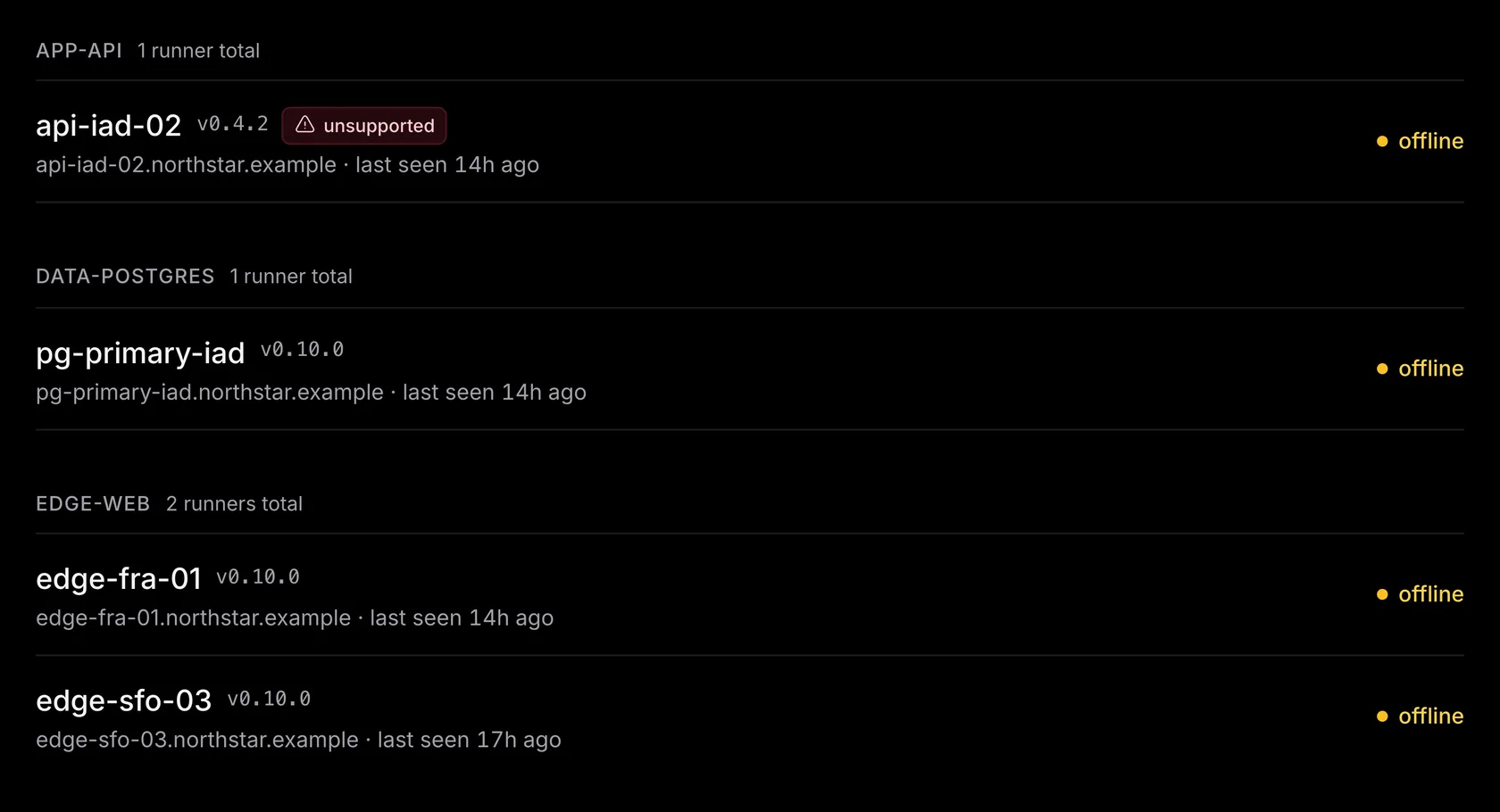
Groups and labels#
Every runner declares one group string and free-form labels in /etc/emisar/config.yaml.
Group examples include
cassandra-prod
and web. Label examples include
role=db
and region=us-east-1. Groups do real
work: runbook steps target them, per-member runner scopes follow them, and an agent can
address every runner in one group at once. Name a group after a fleet tier. The installer
defaults the group to the hostname, which works for one host. Change it when you add a
second.
To change a runner's group, edit
runner.group
in
/etc/emisar/config.yaml
on that host. Use the same value on each runner you want in the group.
If your deployment sets EMISAR_GROUP,
change that value instead: it overrides the config file.
Wait for running actions to finish, then restart the runner to apply the change.
On Linux with systemd, run sudo systemctl restart emisar.
The runner appears under its new group when it reconnects.
Install packs generously. Give each group every pack that matches what runs there (the
postgres
pack on the database tier,
nginx
on the web tier) and the observation packs everywhere. The more actions an agent can
reach, the more it can do for you. Breadth is safe: policy decides what actually
runs, so reads run at once while risky work waits for a person.
sudo emisar pack suggest
lists the published packs that match a host.
Enrollment keys#
-
—
Two key models.
An
emkey-enroll-…key is single-use by default, which suits connecting one host: its first registration spends it, and concurrent attempts with the same key cannot both succeed. Mark it reusable for launch templates and fleet provisioning. A reusable key keeps enrolling hosts until it expires or reaches its maximum use count (blank for unlimited). -
—
Shown once, exchanged for a token.
The raw key appears once, at creation. On first connect the runner exchanges it for
its own
rnrtok-…token, which handles every reconnect from then on. Runner credentials covers the token's lifetime, refresh, and recovery. -
—
Mint at install time.
Runners → Connect a runner
generates the install one-liner with a
fresh single-use key filled in. For fleet provisioning (cloud-init, Packer, Ansible),
mint one reusable key under
Runners → Enrollment keys
and inject it as
EMISAR_ENROLLMENT_KEY. - — Revoke from the console. Revoking a key blocks new registrations; hosts already enrolled keep running on their own tokens. To take a runner itself offline, either by disabling it (reversible) or deleting it (permanent), see Runner credentials.
Keys generated by Connect a runner expire after 24 hours. Unused expired setup keys are removed daily. On the Enrollment keys page, use Source to show manually created keys, runner setup keys, or both. Your browser remembers the selection. Active shows only keys that can register another runner.
To change the key a host carries, reinstall with the new EMISAR_ENROLLMENT_KEY.
The runner re-registers under its
runner.id
or current hostname;
Runner credentials
has the step-by-step. A replacement host with a new hostname simply enrolls as a new
runner.
Giving packs their credentials#
Packs that talk to a service (Nomad, Consul, Postgres) read credentials from the runner's environment, never from call arguments. The control plane does not distribute or store them. An action can still print a value, and if redaction misses the value, it can appear in run output. Two steps on the host:
# 1. /etc/emisar/runner.env (mode 0600) — the values
NOMAD_ADDR=http://127.0.0.1:4646
NOMAD_TOKEN=<acl-token>

# 2. /etc/emisar/config.yaml — allowlist the names
execution:
  inherit_env:
    - NOMAD_ADDR
    - NOMAD_TOKEN
Only allowlisted names reach an action's process, in addition to the
PATH
and locale baseline. The runner's own environment and token never reach it. Restart the
service after editing. Run
emisar pack info <id>
to see what each pack needs, and
sudo emisar pack verify
to make sure the setup works. It probes every installed pack's verify action and prints ok,
failed, or skipped per pack.
Online, offline, and stuck runs#
The runner sends a heartbeat every 30 seconds, and the console's online badge reflects it. Either side closes a connection that goes quiet; the runner reconnects on its own with backoff and advertises its catalog again. In-flight actions keep running through the gap, and their results arrive on the new connection. If a runner stays offline past a two-minute grace period, its in-flight runs become errored with an explanation, so nothing stays "running" forever.
Updating#
# runner binary — re-run the installer; configs and packs are preserved
$ curl -fsSL https://emisar.dev/install.sh | sudo bash

# packs — update from the registry; the update reloads the runner (no restart, no dropped runs)
$ sudo emisar pack update linux-core
Reload (SIGHUP) re-reads packs and re-advertises the catalog on the live connection. A pack with an unrecognized hash (your own pack, or an edited one) waits for trust on the Packs page.
To roll the binary across a fleet with canaries, batches, and rollback, see Upgrade runners. To do the same for packs, see Roll out and roll back packs. A binary upgrade never touches packs, and a pack update never touches the binary.
The host-side toolbox#
$ journalctl -u emisar -f          # service logs
$ sudo emisar action list           # what this host advertises
$ sudo emisar pack list             # loaded packs + hashes
$ sudo emisar events tail -f        # the local JSONL journal, live
$ sudo emisar audit verify --all    # verify the journal's hash chain
The CLI defaults to --config /etc/emisar/config.yaml,
so these commands work on an installed host. The runner runs as its own unprivileged
emisar
user. Granting an action root (a scoped polkit rule, or running the service as root)
is covered on the Linux host page. The
security model
covers the rest of the host protections.
Removing a runner#
# remove binary + service + cached token
$ curl -fsSL https://emisar.dev/install.sh | sudo bash -s -- --uninstall
# …or purge everything, including the local journal
$ curl -fsSL https://emisar.dev/install.sh | sudo bash -s -- --uninstall --purge
Then delete the runner from Runners. Its run history and audit events stay.
--purge
also deletes the local journal, configuration, and
runner.env
secrets. Export the journal first if you want to keep it.
That is the routine retirement. For a host you no longer trust, follow security incidents instead: evidence first, then containment.
Troubleshooting#
It never appears in the fleet#
The installer finished, but the runner is not in the Runners list at all. It never completed its first registration, so there is no identity to show. Read the host log first. The register line carries the status that stopped it:
sudo journalctl -u emisar -n 200
| The log shows | What it means | What to do |
|---|---|---|
401
|
The enrollment key was spent, expired, out of uses, or revoked. | Mint a fresh key and reinstall with it. |
400 invalid_external_id
|
The host offered no usable identity. The runner uses its configured runner.id, or its
hostname when none is set.
|
Set a valid
runner.id
(at least one nonblank character, at most 255) and restart the service.
|
409 runner_name_taken
|
Another runner in this account already holds this name, online or not. A rebuilt host, a restored image, or two hosts sharing one hostname can cause this. |
Delete the existing runner in
Runners
to free the name, or set
runner.id
in this host's config.
|
402 runner_limit_exceeded
|
The account is at its plan's runner cap. The response shows the plan and the limit. | Delete a runner the account no longer uses, or move to a plan with more. Billing and plans has the numbers. |
On the name conflict: a runner's name is unique in the account. By default it is the
hostname of the host it runs on, and it cannot be renamed after the runner is created.
Set
runner.id
in the config (or
EMISAR_RUNNER_ID
at install) to register under a declared name and identity instead of the hostname.
A deleted runner cannot be restored; the host enrolls again as a new one.
Removing a runner
covers the difference from disabling.
- — The log shows no failure, and the connect hangs. A hang is a blocked network path, not a bad credential. The runner needs outbound TLS to your emisar origin and nothing inbound. The exact hosts and ports are in Network requirements.
-
—
On Team or Enterprise, contact support
when a freshly minted, unused key still returns
401, or registration returns a status the log cannot explain. For enrollment keys and their caps, see Enrollment keys above.
It is offline or keeps reconnecting#
The runner registered once and is now offline. Reconnecting is normal: the runner retries on its own, advertises its packs and actions again when it connects, and an action already running continues through the gap.
-
—
First, look at the host.
systemctl status emisarshows whether the process is running.sudo emisar doctorchecks config, credentials, packs, action binaries, service state, and reachability, all without a session to the control plane. -
—
Then check the identity, not the host.
A disabled runner gets a
403and retries with its existing token, so enabling it brings the host back without shell access. A disabled account behaves the same way for every runner in it. A deleted runner cannot be restored: it gets a401, discards its cached token, stops retrying, and that host must enroll again. -
—
On Team or Enterprise, contact support
when the service is up, the runner is enabled,
doctorpasses including reachability, and the fleet still shows it offline after several reconnect attempts.
The service failed or is crash-looping#
systemd reports failed. After five starts in
five minutes the service stops retrying on purpose, so a revoked credential cannot hammer
the control plane. Fix what the log shows, then reset and start the service. Starting it without
resetting the failure counter does nothing:
sudo systemctl reset-failed emisar && sudo systemctl start emisar
-
—
Then check for a second process.
A runner locks its data directory at boot: only one process can own the dispatch
and replay state. A stray manual
emisar connectbeside the service is the usual cause. -
—
On Team or Enterprise, contact support
when
doctorreports every check green and the service still exits. For the install layout, the service unit, and the paths it writes, see Install on a host.